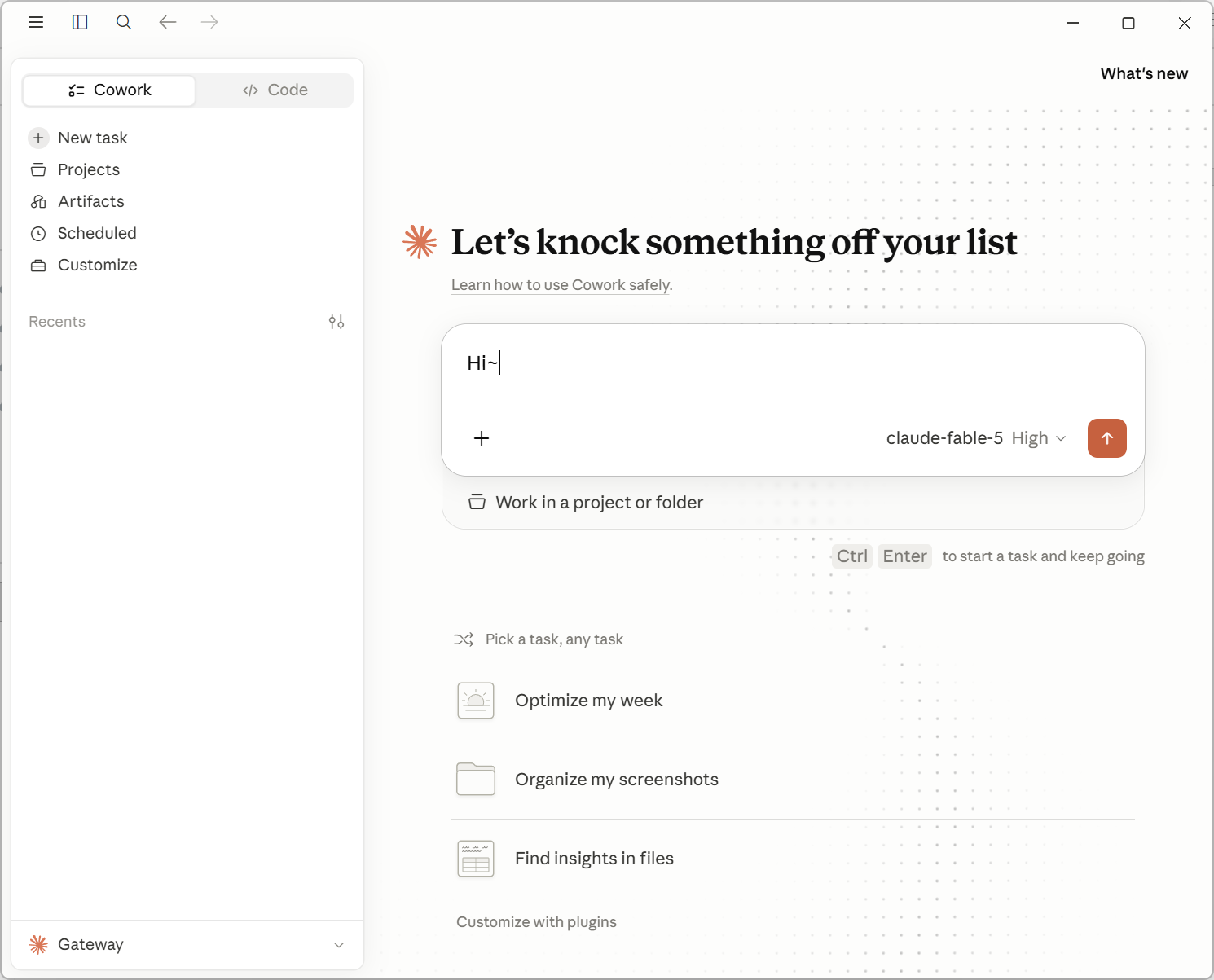
Appearance
Claude Desktop
Use this for Anthropic groups such as Claude via Kiro or Claude Max Pool.
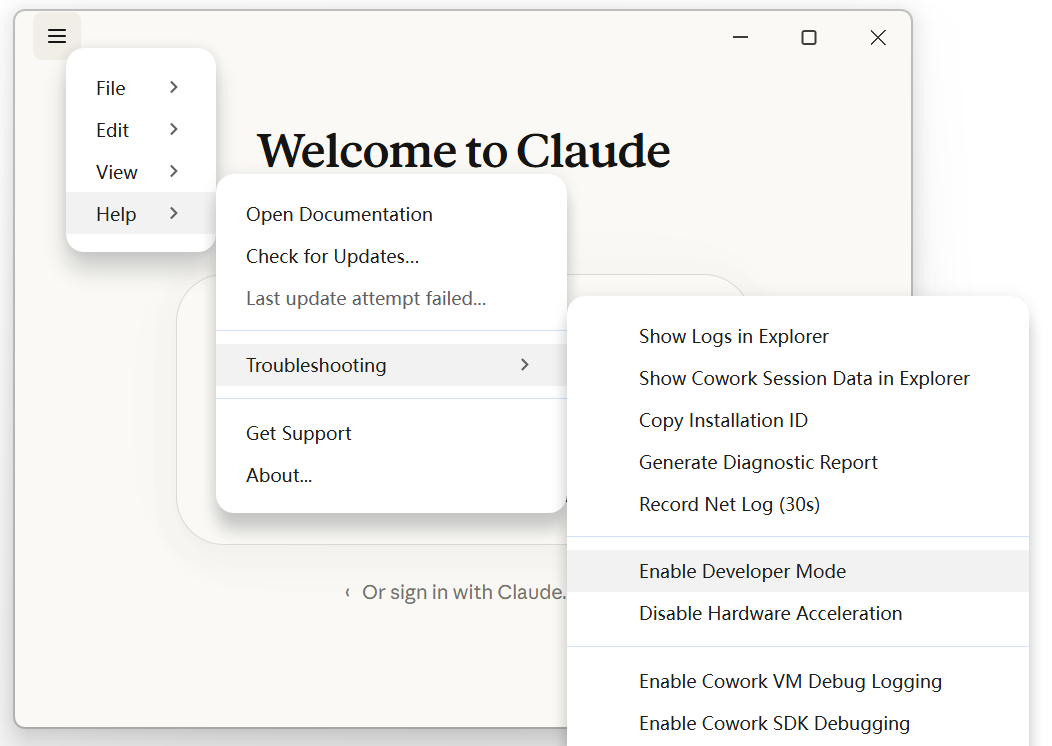
Enable Developer Mode
Open Settings -> Help -> Troubleshooting -> Enable Developer Mode.
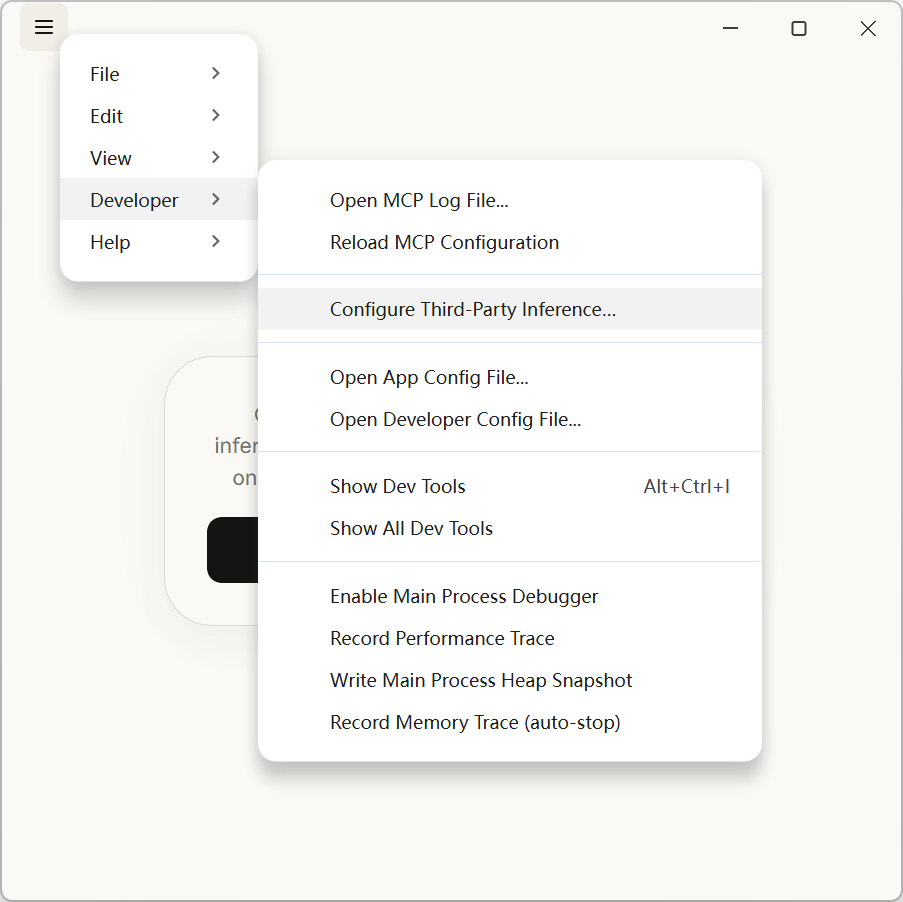
Then open Settings -> Developer -> Configure Third-Party Inference.
Configure Gateway
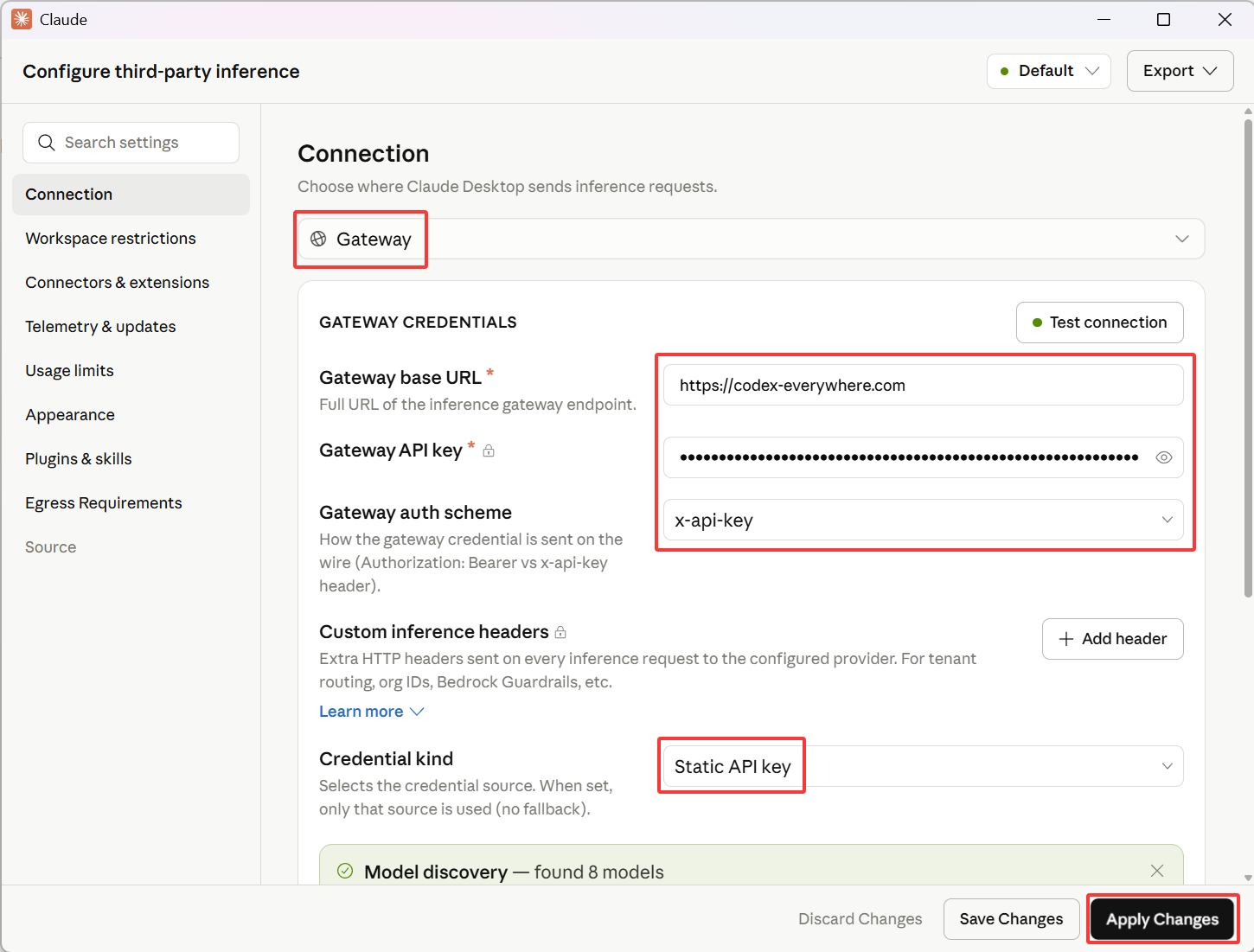
In Connection, select Gateway.
Set Credential kind to Static API key.
Use these gateway settings:
text
Gateway base URL: https://codex-everywhere.com
Gateway API key: your-ce-api-key
Gateway auth scheme: x-api-key
Click Test connection. If the test succeeds, click Apply Changes.
Start Chatting
If the model list loads, the connection is working. Start chatting with Claude Desktop.